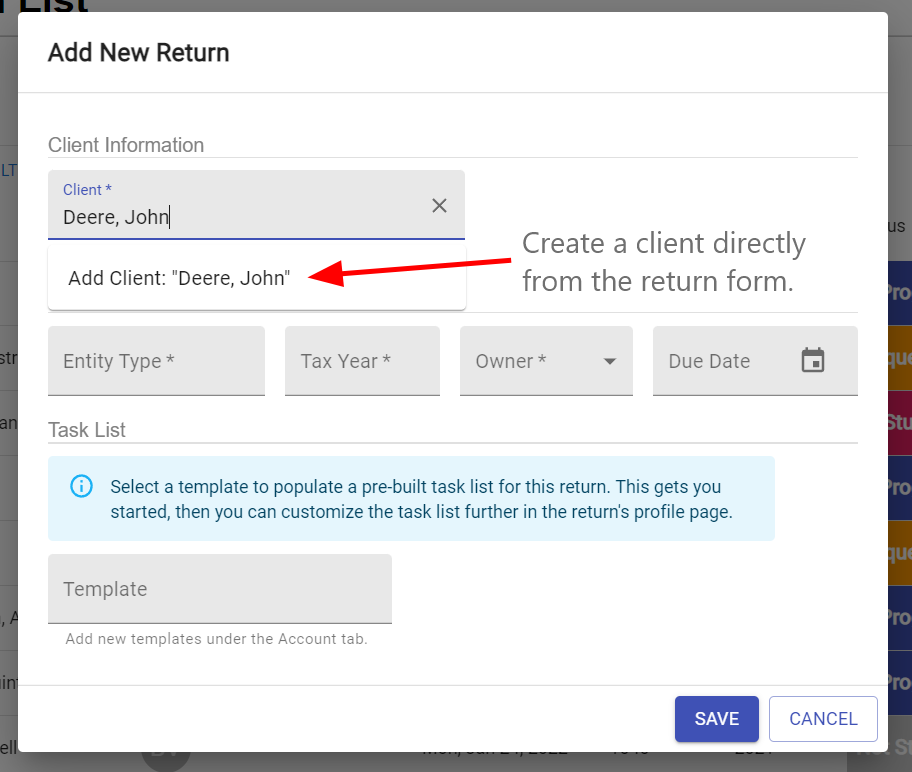
You can add a client in 3 different ways: by importing a CSV file, on the Client List Page, or from the Add Return Form.
Import a CSV - How do I import clients to my client list?
Client List Page
Click the Clients tab on the left sidebar to get to your Client List.
Click the gray and white circular button with the + symbol in the middle.
Click ADD CLIENT and the Add Client Form will appear.
Add Return Form
Click the Returns tab on the left sidebar to get your Return List.
Click the gray and white circular button with the + symbol in the middle and the Add Return form will open up.
Under the Client Information section, click into the Client box and type the client’s name you want to add.
Click the Add Client: “Client Name” selection and open the Add Client Form.